

Iced Raktajino
I’m beautiful and tough like a diamond…or beef jerky in a ball gown.
– Titus Andromedon
- 50 Posts
- 315 Comments
 4·2 months ago
the so-called “First Lady of Star Trek” recorded an entire library of phonetic sounds, allowing her voice to be used in future products outside of Star Trek and, quite possibly, as the computer voice in Star Trek: Discovery.
Source: https://nerdist.com/article/the-late-majel-barrett-may-voice-star-trek-discoverys-computer/
 2·2 months ago
Refurbishers on eBay
Ah, well, that limits things a bit then.
I have refined tastes when it comes to laptops, but I’m also cheap, so lightly used high end models are right up my alley. Unfortunately, I can’t think of any [brand new ones] I would stand behind that are in that price range other than maybe a Macbook Neo, but you specifically ruled out ARM (they’re also not supported by Ashai Linux yet, either).
Sorry.
Are you married to a new one?
I pretty much exclusively buy used ~3 year old Thinkpads which meet all of your specs and then some. My last two were X1 carbons (7th gen and now a 9th gen). Each cost me about $450.
Interesting or useful?
I don’t think I have any really interesting ones, but the most useful one I have for people is “Always On”.
Basically when I see that tag, I can mentally prepare myself and roll my eyes before reading. Basically it’s for people who just do nothing but preach at you regardless of the topic being discussed. It’s…pretty useful.
 10·2 months ago
Ever lived in a small town? Drama and gossip is fun
Yes, I have, and no it’s not. It’s just all there is except for high school football, making more kids, and the same drama and gossip but on Facebook. IMO that’s why small towns are so toxic once you get past the thin veneer of “small town charm”. Couldn’t wait to leave the one I grew up in.
And after re-reading OP’s opinion, I starting to see the parallels.
Hank Hill, apparently.
I don’t use Facebook and use all the ad blockers, but apparently I’m still tracked by IP.
When my SO and I started dating, he hooked to my wifi one day and immediately started getting ads on Facebook for various lawn care products. He’d never had those come up before, lived in an apartment all his adult life, and has never searched for any kind of gardening supplies.
I, on the other hand, do have a lawn that I take care of and frequently shop for various landscaping stuff. But he gets the ads for them.
 41·2 months ago
Literally this.
Twice a year I fill in as DBA when our lady graybeard Oracle DBA takes vacation. This month is one of those times. Yay me.
For my org, it’s just the massive in-house developed line-of-business application that’s tightly coupled to Oracle that keeps us chained to it. It’s technical debt from top to bottom, and has been accumulating steadily since the early 2010s, but no one seems willing to start replacing it.
The new projects typically go with Postgres, MariaDB, or if all else fails, MSSQL. But the Oracle monster in the closet isn’t likely to leave any time soon.
 0·2 months ago
If only 9 volts were that price, I’d stock up for the smoke detectors for the next 5 years.
For everything else, I bought a bunch of rechargeable AA and AAAs a while back and those have been great. Haven’t used a D battery in years and a C battery for decades. I assumed they stopped making C’s.
I thought I was above enjoying all of the really campy episodes, but apparently not. I thoroughly enjoyed “Rascals” just for the Guinan / Ro Laren sass.
If they took Subspace Rhapsody to Broadway, I would happily make that my first show.
and That Puppet Episode
I was ambivalent about “Those Old Scientists” and bringing the LD cast in as live-action characters. Ended up loving it.
I was ambivalent about “Subspace Rhapsody” and a musical episode in general. Also loved it.
I was initially ambivalent about the puppet episode, but if history is anything to go by, bring it on.
 1·2 months ago
The only tricky bit is forcing the Pi’s USB port into host mode by default. I thought the hub was defective but it worked when I put an OTG adapter into the micro USB port. The default auto detect behavior doesn’t work with this since it doesn’t connect to the OTG pin.
I had to edit
/boot/firmware/config.txtand add under the[]section:[all] dtoverlay=dwc2,dr_mode=host
https://www.amazon.com/dp/B01K9IVUYM
I bought that earlier this year. Works great. Have two RTL-SDRs hooked into it along with a Meshtastic node. It mounts under the Pi Zero so you still have your headers available for other stuff.
 6·2 months ago
Lol, no. And if you were expecting something clever like a goat, sorry to disappoint lol. Just a basic battery-electric push mower that I’ve charged from solar panels all season.
Check back in 2-3 years when I (hope to) get an EV. I’m sure I’ll be crowing about it then 😆
In the mean time, would you like to hear about my solar powered lawn mower?
The usable south-facing roof area is full, unfortunately. I’ll have to do ground mount in the back yard and run a bunch of conduit if I want to add any more PV.
The 32 kWh of batteries are made of two 16 kWh batteries in parallel. Since this system is in lieu of a backup generator, I have it configured to only draw the batteries down to 50%. That leaves the bottom 16 kWH available for emergency use. Basically, for day to day usage, I treat the battery as being half the capacity it really is.
I’ve only been running this system for about 3 weeks now, but the batteries have been operating between 65% and 90% pretty consistently even running the A/C pretty heavily. They’ve been closer to low 60s this past week, but the wildfire smoke was choking out the sunlight Thursday and Friday.
about $0.06 USD/kWh
😭 The per-kilowatt hour rider fees on top of my base rate per kWh are way more than that lol.






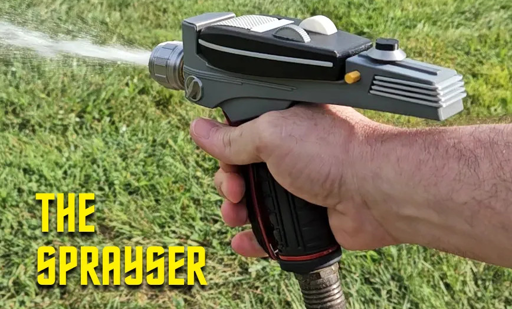



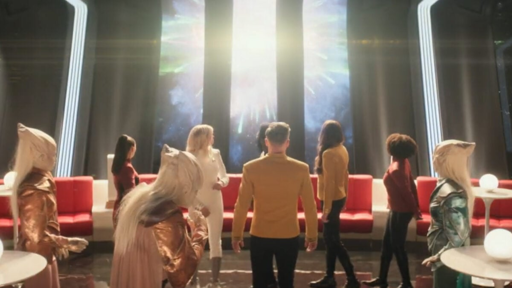



Since that Parnell is most recently known for Jerry in Rick and Morty, I feel like we’re missing out on “Star Trek: Jerry”
Picture it: Alpha Quadrant, 3070. Captain Jerry Smith’s is one of the few ships to survive The Burn.
Captain Jerry: I just kept maintaining course and speed at full impulse, and it just kept working.